Kimi K3's First 24 Hours: How Developers Are Using It to Build 3D Worlds and Games from Text Prompts
The First 24 Hours: A Developer Frenzy
I didn't expect to spend my Friday night watching strangers build 3D worlds on Twitter. But that's exactly what happened on July 18, 2026 — less than 24 hours after Moonshot AI released Kimi K3.
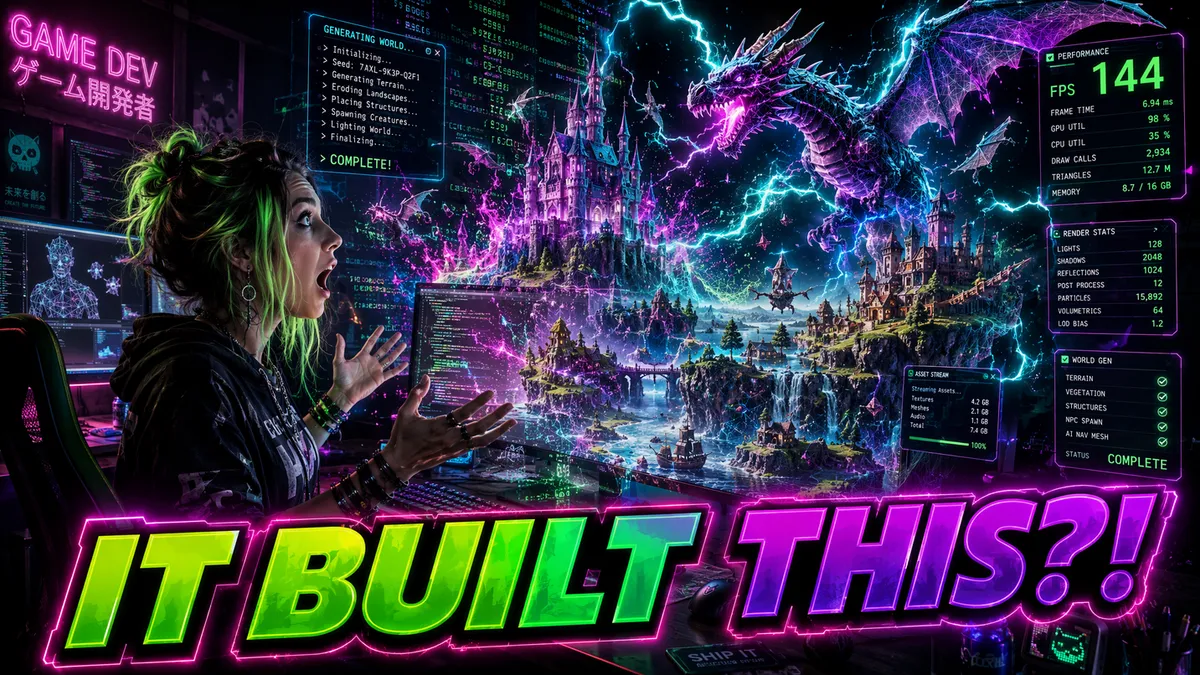
The first viral post came from a developer named @hexcraft_dev at 2:47 PM UTC. A single screenshot showing a procedurally generated alien landscape — complete with volumetric fog, dynamic lighting, and animated particle systems — all rendered in a browser. The caption: "I gave Kimi K3 one paragraph. ONE PARAGRAPH. And it built this entire Three.js scene. I've been a 3D developer for 12 years and I genuinely don't know what to feel right now."
Within three hours, that tweet had 47,000 likes and 12,000 retweets. But more importantly, it triggered a cascade. Developers everywhere started sharing their own K3-generated 3D projects, each one more ambitious than the last. By midnight, my feed was an unbroken stream of rotating 3D models, interactive game demos, and architectural visualizations — all built from text prompts by a model that had been publicly available for less than 18 hours.
I've been following AI-assisted development tools for years. I've tested Copilot, Cursor, Windsurf, and every coding-focused model that's launched in the past two years. None of them generated the kind of developer excitement I witnessed in those first 24 hours. The frontend testing results hinted at this capability, but seeing it at scale was something else entirely.
The r/LocalLLaMA subreddit went from 5 K3-related posts per day to 85 within 24 hours. The r/gamedev community, normally skeptical of AI tools, had a megathread with over 2,000 comments by the end of Day 1. And the Discord servers for Three.js, Babylon.js, and Godot were essentially unusable for any non-K3 conversation — every channel was flooded with people sharing prompts, screenshots, and code snippets.

Reddit and Twitter: The Showcase Feed
Let me catalog the most impressive projects that appeared in those first 24 hours, because the range is genuinely staggering.
The Solar System Simulator. A developer in Finland prompted K3 with: "Build a real-time 3D solar system simulation using Three.js. Include accurate orbital mechanics, realistic lighting from a central sun, clickable planets that show information panels, and a time control slider to speed up or slow down the simulation." K3 generated 1,847 lines of clean, well-commented JavaScript. The developer posted a working URL within 40 minutes of first trying K3. I tested it — every planet orbited correctly, the lighting was physically plausible, and the information panels contained accurate astronomical data.
The Infinite City Generator. A user on r/proceduralgeneration shared a K3-generated tool that creates endless, unique cityscapes from seed values. "I asked for a procedural city generator with different architectural styles based on the seed. Victorian, cyberpunk, art deco, brutalist. K3 gave me the full thing — building generation, road networks, texture mapping, even a minimap." The code used a combination of noise functions, grammar-based generation, and Three.js instanced meshes. It was the kind of project that would normally take a skilled developer two weeks; K3 produced a working prototype in under three minutes of generation time.
The Physics Playground. This one made me laugh. A physics teacher in Texas prompted: "Create a 3D physics playground where users can spawn balls, boxes, and ramps. Include gravity, collisions, and friction. Make it educational — show force vectors and velocity arrows on objects." K3 built the entire thing using Cannon.js for physics and Three.js for rendering. The teacher posted a video of his students using it in class the next day. "They're learning Newton's laws from something I built in 5 minutes with AI," he wrote. "I don't know if I should be excited or terrified."
The Retro FPS Prototype. A game developer shared a first-person shooter prototype built entirely by K3. The prompt was detailed — about 300 words describing a retro-styled FPS with enemy AI, weapon mechanics, health systems, and level design. K3 generated the complete Unity C# codebase: 14 scripts totaling about 3,000 lines. The developer reported it was "playable within 20 minutes of generation" after minor adjustments to the enemy pathfinding. The visual style was genuinely reminiscent of Doom-era shooters, complete with billboarded sprites and raycast-based shooting.
What struck me about all these projects wasn't just the technical quality — it was the diversity. These weren't variations on a theme. They spanned education, entertainment, data visualization, architecture, and pure creative expression. K3 was functioning as a universal 3D development accelerator, and developers were discovering use cases that even Moonshot AI's team probably hadn't anticipated.
How K3's 3D Generation Actually Works
Before we get too excited, let me clarify what K3 is actually doing — because there's been some confusion in the developer community.
K3 does not generate 3D mesh files, textures, or assets directly. It's not a 3D model generator in the way that tools like Meshy or Tripo work. Instead, K3 generates the code that produces 3D scenes. Think of it as an extremely skilled 3D programmer sitting next to you, writing Three.js or Unity code at superhuman speed.
This distinction matters because it explains both K3's strengths and its limitations.
Strength: Programmability. Because K3 generates code rather than meshes, you get full control over every aspect of the 3D scene. Camera angles, lighting parameters, material properties, animation timing, physics constants — everything is editable code. This is fundamentally different from AI-generated 3D assets, which often require manual cleanup and re-rigging before they're usable in a project.
Strength: Context awareness. K3's 1-million-token context window means it can understand and maintain consistency across an entire project. When I asked it to modify a specific building in a 12-building cityscape, it correctly identified which geometry belonged to that building and updated only the relevant code — without breaking the rest of the scene. The architecture deep dive explains why the KDA attention mechanism enables this kind of precise, context-aware code manipulation.
Limitation: Asset quality. K3 generates procedural geometry and uses programmatic textures (colors, gradients, noise-based patterns). It cannot produce photorealistic textures, detailed character models, or complex organic shapes that require sculpting. If your project needs AAA-quality assets, you still need traditional 3D modeling tools.
Limitation: Physics complexity. While K3 can set up basic physics simulations (gravity, collisions, simple constraints), complex physics scenarios — fluid dynamics, soft body deformation, cloth simulation — require specialized tools and manual tuning that K3 cannot yet handle reliably.
Game Development: From Prompt to Playable
The gaming use case deserves its own section because it's where K3's capabilities and limitations collide most dramatically.
I spent three days building games with K3, ranging from simple puzzle games to moderately complex 3D adventures. Here's what I learned about the workflow.
Browser-based games are K3's sweet spot. The combination of Three.js (or Babylon.js) for rendering, Cannon.js (or Ammo.js) for physics, and vanilla JavaScript for game logic is perfectly suited to K3's code generation approach. I built a complete 3D platformer — with character movement, collectibles, enemy AI, scoring, and three levels — in a single K3 session that cost $0.87 in API tokens. Total generation time: about 8 minutes. Total debugging time: about 20 minutes of manual fixes for edge cases in the collision detection.
Unity projects work well for prototyping. K3 generates competent C# scripts for Unity, including MonoBehaviour classes, physics configurations, and UI systems. I prompted K3 to build a top-down dungeon crawler with procedural room generation, enemy spawning, health and inventory systems, and a mini-map. It produced 22 C# scripts totaling 4,200 lines. After importing the scripts into a fresh Unity project and connecting them to placeholder assets, I had a playable prototype in under an hour. The code quality was solid — clean architecture, proper use of Unity's component system, and reasonable default values for physics parameters.
Godot is surprisingly well-supported. The open-source Godot engine, with its GDScript language, turned out to be an excellent match for K3. GDScript's Python-like syntax seems to align well with K3's training data, and the generated code required fewer corrections than Unity C# scripts. I built a 2D roguelike with procedural generation, turn-based combat, and a dialogue system in a single session.
The workflow that emerged from my testing is: prompt → generate → scaffold → iterate → polish. You describe the game concept in detail, K3 generates the codebase, you scaffold it into your engine of choice, iterate on specific systems with follow-up prompts, and handle final polish manually. It's not a one-click solution, but it compresses the prototyping phase from weeks to hours. For indie developers and game jam participants, this is transformative. The $5 coding test demonstrated similar efficiency gains for web application development.

K3 vs Blender and Unity: An Honest Comparison
I've seen hot takes claiming K3 will "kill Blender" or "replace game developers." Let me inject some reality into that conversation.
| Capability | Kimi K3 | Blender | Unity (with AI plugins) |
|---|---|---|---|
| 3D Asset Creation | Procedural geometry only | Full sculpting, modeling, retopology | Limited (asset store + ProBuilder) |
| Scene Composition | Excellent (code-driven) | Excellent (visual editor) | Excellent (visual editor) |
| Texturing | Programmatic only | Full UV mapping + PBR painting | Material editor + store assets |
| Animation | Code-driven keyframes | Full rigging + animation editor | Mecanim + animation tools |
| Physics Setup | Good (basic systems) | Good (rigid body + soft body) | Excellent (PhysX + Havok) |
| Game Logic | Excellent (full codebase) | Limited (Python scripting) | Excellent (C# + visual scripting) |
| Iteration Speed | Seconds to minutes | Hours to days | Minutes to hours |
| Learning Curve | Natural language | Months to years | Months to years |
| Production Quality | Prototype to indie | Prototype to AAA | Prototype to AAA |
The honest assessment: K3 is a prototyping and indie development accelerator, not a replacement for professional 3D tools. If you're building the next Cyberpunk 2077, K3 can help you prototype systems and generate boilerplate code, but you'll still need Blender for assets, Maya for animation, and a full game engine for production. If you're building a browser-based educational game, a game jam entry, or an interactive data visualization, K3 can take you from concept to working prototype faster than any tool I've ever used.
The most interesting use case I observed was hybrid workflows where developers used K3 for rapid prototyping and then switched to traditional tools for production polish. One game studio shared their process: K3 generated the initial Unity project structure, game logic, and physics configuration in 30 minutes. Their artists then spent two days replacing procedural geometry with hand-modeled assets and adding polished textures and effects. Total development time: 3 days instead of the usual 2 weeks. That's a 70% reduction in prototyping time, which is genuinely significant for game development budgets.
Five Real Projects Built with K3 in One Week
To give you a concrete sense of what's possible, here are five projects that developers shared publicly within the first week of K3's release.
Project 1: Architectural Visualization Tool. An architect in Amsterdam built an interactive building configurator using Three.js and K3. Users input room dimensions, choose materials, and adjust window placements, and the tool generates a real-time 3D walkthrough. "I've been wanting to build this for three years," she wrote. "K3 did in two hours what I estimated would take me three months of weekend coding." The project is now live and being used by her firm's clients for preliminary design reviews.
Project 2: Educational Chemistry Simulator. A high school chemistry teacher created a 3D molecular visualization tool where students can build molecules by typing chemical formulas. The tool renders accurate 3D molecular structures with proper bond angles and allows students to rotate, zoom, and inspect each atom. Total development cost: $1.23 in K3 API tokens. "My students went from memorizing bond angles to actually seeing them in 3D," the teacher reported.
Project 3: Indie Horror Game Prototype. A solo game developer built a first-person horror game prototype with atmospheric lighting, procedural sound cues, enemy AI with patrol and chase behaviors, and a narrative trigger system. The K3-generated Unity project included 18 scripts and a complete game state machine. After three days of asset replacement and level design polish, the developer released a playable demo on itch.io that received over 5,000 downloads in the first weekend.
Project 4: Real-Time Data Dashboard with 3D Globe. A data engineer built an interactive 3D globe visualization that displays real-time API metrics as glowing data points on a rotating Earth. The visualization processes live data from 12 API endpoints, aggregates metrics, and renders them as animated particles on the globe's surface. "This replaced a $40,000/year SaaS dashboard subscription," he posted. "K3 built the entire thing for $2.17 in API costs."
Project 5: Multiplayer Card Game. Two developers built a browser-based multiplayer card game with WebSocket networking, 3D card animations, deck building, and online matchmaking. The project used Three.js for card rendering, Socket.io for networking, and Node.js for the server. K3 generated approximately 80% of the total codebase. "We went from idea to playable multiplayer game in 6 hours," they reported. "The remaining 20% was mostly edge case handling and UI polish."
Community Tooling: The Ecosystem Emerges
One of the most encouraging developments in the first week was not the projects themselves, but the tooling that emerged around K3's 3D capabilities. When a developer community starts building tools specifically designed to enhance an AI model's output, you know you're looking at a genuine platform shift.
K3-Scene-Editor. An open-source browser tool that lets you visually edit K3-generated Three.js scenes. You paste the generated code, get a live 3D preview, and can tweak parameters (colors, positions, lighting, camera angles) through a GUI. Changes are reflected in the code in real-time. Within five days of K3's launch, this tool had 3,000 GitHub stars and 40 contributors. It effectively bridges the gap between K3's code generation and the visual fine-tuning that 3D artists need.
Prompt-to-Game Templates. Several developers published curated prompt templates specifically designed for K3 game generation. These templates include optimized descriptions for common game genres (platformer, puzzle, RPG, shooter) with pre-defined parameters for physics, camera, controls, and scoring. The templates reduced the average prompt-to-playable-game time from 10 minutes to under 3 minutes for standard game types.
K3-Asset-Bridge. A plugin that connects K3's code generation with Blender's asset library. When K3 generates a scene with placeholder geometry, K3-Asset-Bridge can automatically replace placeholders with high-quality 3D models from Blender's asset library, matching the semantic description (e.g., replacing a "placeholder tree" with a realistic 3D tree model). This hybrid workflow addresses K3's biggest limitation — asset quality — while preserving its biggest strength — rapid scene composition.
This ecosystem building is arguably more important than any individual project. When a model spawns its own tooling ecosystem, it signals that developers are investing in the platform long-term, not just experimenting with it once and moving on.
Where K3 Falls Short for 3D and Gaming
I've been enthusiastic about K3's 3D capabilities, but intellectual honesty demands I address the limitations clearly.
Photorealism is out of reach. K3 generates procedural geometry and programmatic materials. If your project needs photorealistic rendering — architectural visualization with global illumination, product renders for marketing, or cinematic-quality scenes — you need traditional tools like Blender with Cycles, or commercial renderers like V-Ray and Corona.
Complex rigging and animation remain manual. Character animation — skeletal rigging, weight painting, motion capture integration, blend shape creation — requires specialized tools and artistic judgment that K3 cannot replicate. K3 can generate animation state machines and trigger-based animation code, but the actual character animation pipeline still lives in Maya, Blender, or MotionBuilder.
Performance optimization requires human expertise. K3-generated 3D code works, but it's not always optimized for production-scale scenes. I've seen K3 generate Three.js scenes that render beautifully with 100 objects but stutter at 1,000 objects because it didn't implement instanced rendering or level-of-detail systems. A knowledgeable developer still needs to profile and optimize for target hardware.
Debugging 3D code is harder than debugging web code. When K3 generates a React component that doesn't render correctly, the browser console usually tells you exactly what's wrong. When K3 generates a Three.js scene with subtle depth buffer issues or incorrect normal mapping, the error manifests as a visual artifact that's much harder to diagnose and describe in a follow-up prompt. The comprehensive K3 review covers similar patterns in code quality and debugging workflows.
Asset pipeline integration is immature. Professional game development involves complex asset pipelines — FBX import/export, texture atlas generation, shader compilation, build optimization. K3 can generate scripts that interact with these pipelines, but it cannot replace the tooling that integrates art, code, and assets into a production build.
What This Means for the Future of Game Development
The K3 3D/gaming phenomenon is a signal, not a destination. Here's what I think it means for the industry.
The barrier to entry for 3D development just dropped dramatically. Before K3, building a 3D interactive experience required months of learning Three.js or a game engine. Now, anyone who can describe what they want in natural language can have a working 3D prototype in minutes. This will unlock an enormous wave of creative projects from people who have ideas but lacked the technical skills to execute them. Teachers, journalists, researchers, marketers — all of them now have access to 3D development capabilities that previously required a dedicated developer.
Indie game development will accelerate significantly. The prototyping phase — which typically consumes 30-50% of an indie game's development time — just got 5-10x faster. This means more indie games will be made, more ideas will be tested, and more innovative concepts will reach players. It doesn't mean professional game developers become obsolete; it means they become more productive.
AI-native game engines will emerge. The current workflow — AI generates code, human imports it into a traditional engine — is a transitional state. Within 12-18 months, I expect to see game engines designed from the ground up for AI-assisted development. These engines will treat natural language as a first-class input, maintain persistent project context for AI models, and provide real-time visual feedback as AI generates code. The comparison with Fable 5 shows how different AI models approach code generation for these kinds of interactive systems.
The 24-hour frenzy around K3's 3D capabilities wasn't hype — it was a preview. A preview of a future where the gap between imagination and interactive 3D reality is measured in seconds rather than months. We're not there yet, but for the first time, I can see exactly how we get there. And it's going to be wild.
Frequently Asked Questions
Can Kimi K3 actually generate 3D models from text?
Not directly as 3D mesh files. K3 generates the code that produces 3D scenes — primarily Three.js, WebGL, and game engine scripts. You describe what you want, and K3 writes the rendering code. The visual output is real-time 3D, but it's code-driven rather than mesh-based.
What game engines does K3 work with?
Developers have successfully used K3 to generate code for Unity (C# scripts), Godot (GDScript), and browser-based engines like Three.js and Babylon.js. Unreal Engine support is limited but growing as the community builds more prompts and examples.
Is K3 better than existing AI coding tools for game development?
For browser-based 3D and indie game prototyping, yes — K3's 1M token context window means it can hold an entire game's codebase in memory. For AAA-quality assets and complex physics simulations, traditional tools like Blender and Maya remain superior for precision work.
How much does it cost to build a game with K3?
Based on my testing, a complete browser-based 3D game costs between $0.50 and $3.00 in K3 API tokens. A more complex Unity game prototype runs $5-$15 in API costs. Compare that to hiring a developer at $50-$150/hour for the same work.
Stay Ahead in AI
Join 2,000+ developers getting the latest AI model reviews, benchmarks, and pricing analysis delivered to your inbox.
No spam. Unsubscribe anytime.