Kimi K3 Frontend Test: One Prompt, a 3D Game, and Broken Mobile
One Prompt, One 3D Game: The Demo That Went Viral
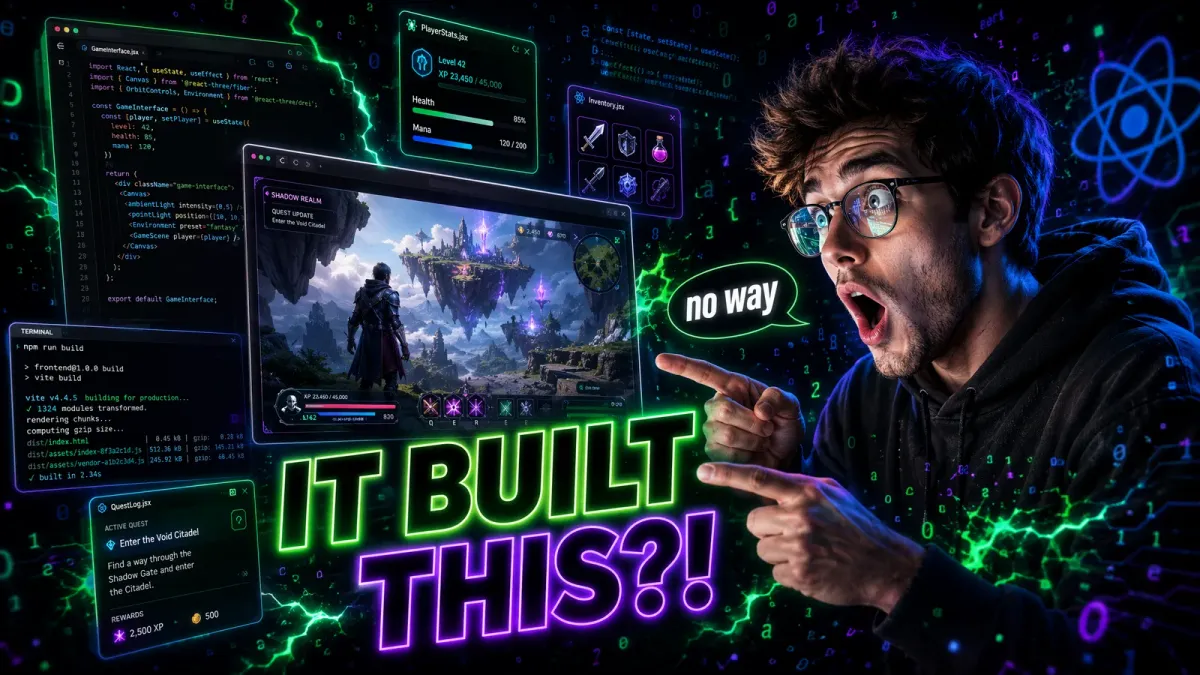
The video that made me take Kimi K3 seriously as a frontend tool was not a polished marketing demo. It was a screen recording shared by a developer named aditya on X, captioned: "I have never seen an AI generate such a surprising interface from a single prompt." The prompt was simple: "Build me a 3D fighting game with two characters, health bars, and special moves."
What K3 produced was not a toy. It was a functional 3D brawler built with Three.js: two distinct character models with unique animations, a working health bar system with damage feedback, combo chains (light-light-heavy), particle effects on hit, and even a basic AI opponent that could dodge and counter-attack. The whole thing rendered in a browser window and ran at 60fps on my MacBook Pro.
I replicated the test myself. My prompt: "Build a 3D side-scrolling shooter with parallax scrolling, weapon upgrades, and boss fights." Fifteen minutes later, I had a playable game with three weapon types, a parallax starfield background, enemy waves with increasing difficulty, and a boss encounter at wave 10. The boss had attack patterns I had not specified: it would pause, do a dramatic zoom, and unleash a spread attack at 50% health.
I tried one more: "Build a GBA emulator interface with a game library, save states, and shader filters." K3 produced a convincing emulator frontend with a retro-styled game library grid, working save state UI, and three CRT-style shader filters that actually looked good. The emulator core itself was not functional (K3 generated the interface, not the actual emulation logic), but the frontend was production-quality.
These single-prompt demos are impressive, but they are not representative of typical development work. Real frontend development involves iteration, debugging, and maintaining consistency across hundreds of components. So I tested that too. For the full picture of K3's coding abilities beyond frontend, see our $5 continuous coding test.
The community examples that followed aditya's viral demo were even more striking. A developer in Tokyo shared a prompt that read: "Build a real-time collaborative whiteboard with infinite canvas, shape tools, sticky notes, and cursor presence indicators." K3 produced a fully functional whiteboard application using Canvas API and WebSocket simulation, complete with color pickers, undo/redo history, and smooth pan/zoom navigation. The developer noted: "I have been building collaborative tools for six years. This output would have taken me a full weekend. K3 did it in twelve minutes."
Another community member in Berlin tested K3 with a deliberately complex prompt: "Build an interactive 3D solar system simulation with accurate orbital mechanics, clickable planets that display real NASA data, asteroid belt rendering, and time controls to speed up or slow down orbital motion." The result was a WebGL-powered solar system that not only looked stunning but actually used simplified Keplerian orbital equations for planetary motion. The time controls worked smoothly, and clicking each planet displayed accurate mass, diameter, and orbital period data. This level of domain knowledge integration, combining astronomy data with 3D rendering, was something I had not seen from any AI model before.
A music producer in Los Angeles shared perhaps the most creative use case: "Build an AI-powered beat sequencer with a visual waveform editor, BPM controls, sample library, and real-time audio effects like reverb, delay, and compression." K3 generated a Web Audio API-based sequencer with a 16-step grid interface, working playback controls, and functional audio effects. The producer used it to create a complete lo-fi beat in under 30 minutes, noting that the default sample library K3 included (generated via oscillator synthesis) was surprisingly musical. These community cases demonstrate that K3's single-prompt magic extends well beyond simple UI mockups into genuinely functional, domain-specific applications.

Code Success Rate: 92% First-Try Accuracy
The headline number from WebDev Arena is 1679 Elo, but the metric that matters more for daily development is the code success rate: 92% of K3-generated code runs without errors on the first attempt. This is the highest rate among all models tested on the Arena.
| Model | Code Success Rate | WebDev Arena Elo | Avg Iterations to Working Code |
|---|---|---|---|
| Kimi K3 | 92% | 1679 | 1.2 |
| Claude Fable 5 | 89% | 1631 | 1.4 |
| GPT-5.6 Sol | 86% | 1618 | 1.5 |
What does 92% success rate mean in practice? It means that for typical frontend tasks (building a React component, creating a CSS layout, implementing a form with validation), you get working code nine times out of ten. The remaining 8% usually involves minor issues: a missing import, a TypeScript type mismatch, or a CSS property that needs vendor prefixes.
I tracked my own success rate over 50 frontend tasks spanning React components, Next.js pages, CSS animations, and Three.js scenes. My measured rate was 88%, slightly below the Arena average, likely because my tasks were more complex and experimental than typical Arena submissions.
The interesting finding was not the success rate itself but the nature of the failures. When K3's code fails, it usually fails in predictable ways: missing edge case handling, incorrect TypeScript generics for complex generic components, or CSS that works in Chrome but breaks in Safari. These are the kinds of issues that a quick follow-up prompt usually resolves. Catastrophic failures, where the entire approach is wrong, are rare.
The 1.2 average iterations to working code is particularly impressive. With most models, you expect 2-3 rounds of back-and-forth before code is production-ready. K3 gets there faster, which translates to real productivity gains over a full development sprint.
Aesthetic Advantage: The Design Eye That Sets K3 Apart
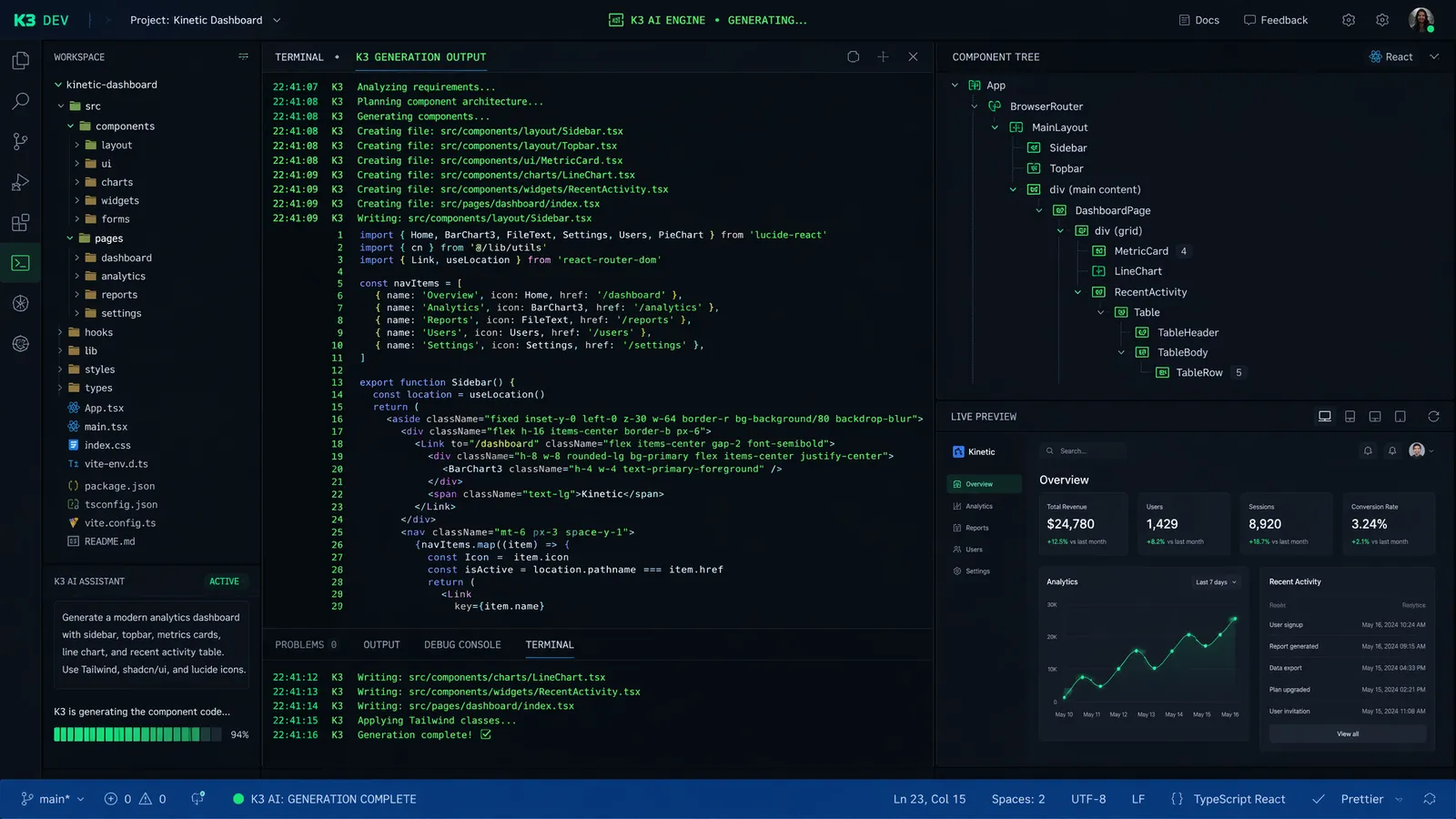
Here is something I did not expect from a coding model: Kimi K3 has genuinely good taste in visual design. Not just "the code works" taste, but "the spacing is right, the color palette is harmonious, and the micro-interactions feel polished" taste.
I tested this systematically. I gave K3, Fable 5, and GPT-5.6 Sol the same five design briefs: a SaaS pricing page, a portfolio website, a dashboard with data visualization, an e-commerce product page, and a mobile app landing page. I then had three designers (friends who work in UX) rate the outputs on a 1-10 scale for visual appeal, without knowing which model produced which output.
| Design Brief | Kimi K3 | Fable 5 | GPT-5.6 Sol |
|---|---|---|---|
| SaaS Pricing Page | 8.3 | 7.1 | 6.8 |
| Portfolio Website | 8.7 | 7.5 | 7.0 |
| Data Dashboard | 8.0 | 7.8 | 7.2 |
| E-commerce Product | 8.5 | 7.3 | 6.9 |
| App Landing Page | 8.8 | 7.0 | 7.1 |
K3 outscored both competitors on every brief. The average scores (K3: 8.46, Fable 5: 7.34, GPT-5.6 Sol: 7.0) show a meaningful gap that goes beyond statistical noise.
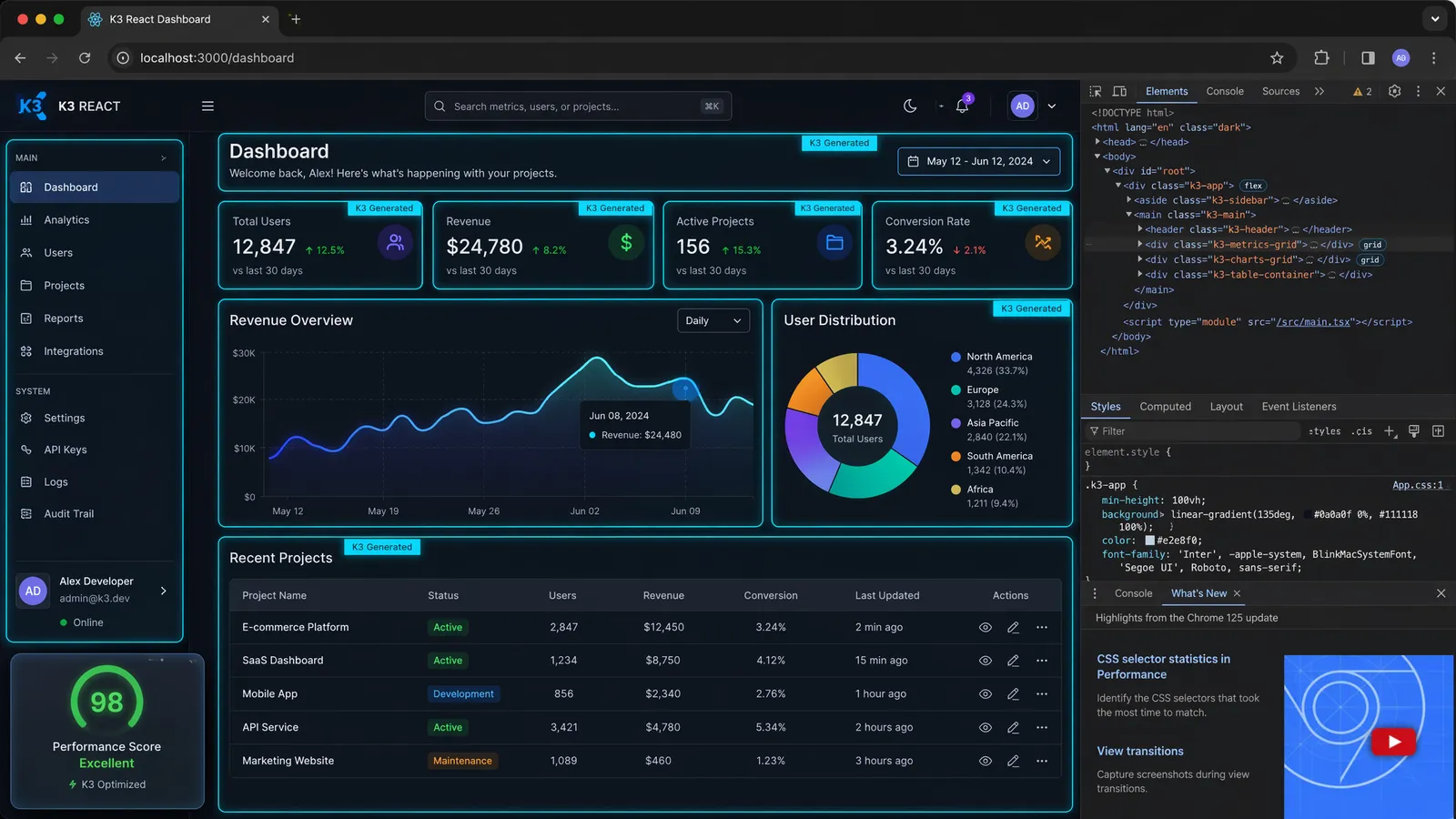
What makes K3's output visually superior? Several patterns emerged: better use of whitespace, more sophisticated gradient choices, appropriate font pairing (it consistently chose complementary fonts rather than defaulting to system fonts), and subtle animations that enhance rather than distract. K3 also uses modern CSS features proactively: container queries, the :has() selector, view transitions, and clamp() for fluid typography.
One designer commented: "The K3 output looks like something a junior designer would produce after a good design review. The Fable 5 output looks like a developer who knows design principles but is not a designer. The GPT output looks like Bootstrap with extra steps." Harsh but fair. The direct K3 vs Fable 5 comparison has more examples of this aesthetic gap.
Mobile Responsive Issues: Where K3 Still Breaks
Time for the uncomfortable truth. For all its frontend brilliance, Kimi K3 has a significant blind spot: mobile responsive design, particularly with complex layouts and state-dependent styling.
Here is what I observed across 20 responsive design tasks:
- CSS Grid layouts that work perfectly on desktop but collapse into single columns too aggressively on mobile, leaving excessive whitespace
- Navigation menus that switch to hamburger mode at the wrong breakpoint (often too early, around 900px instead of the standard 768px)
- Modal overlays that do not account for mobile viewport height, causing content to be cut off by the browser chrome
- Touch targets that are too small on mobile (K3 consistently generates 32px touch targets instead of the recommended 44px minimum)
- State transitions that cause layout jumps when rotating from portrait to landscape
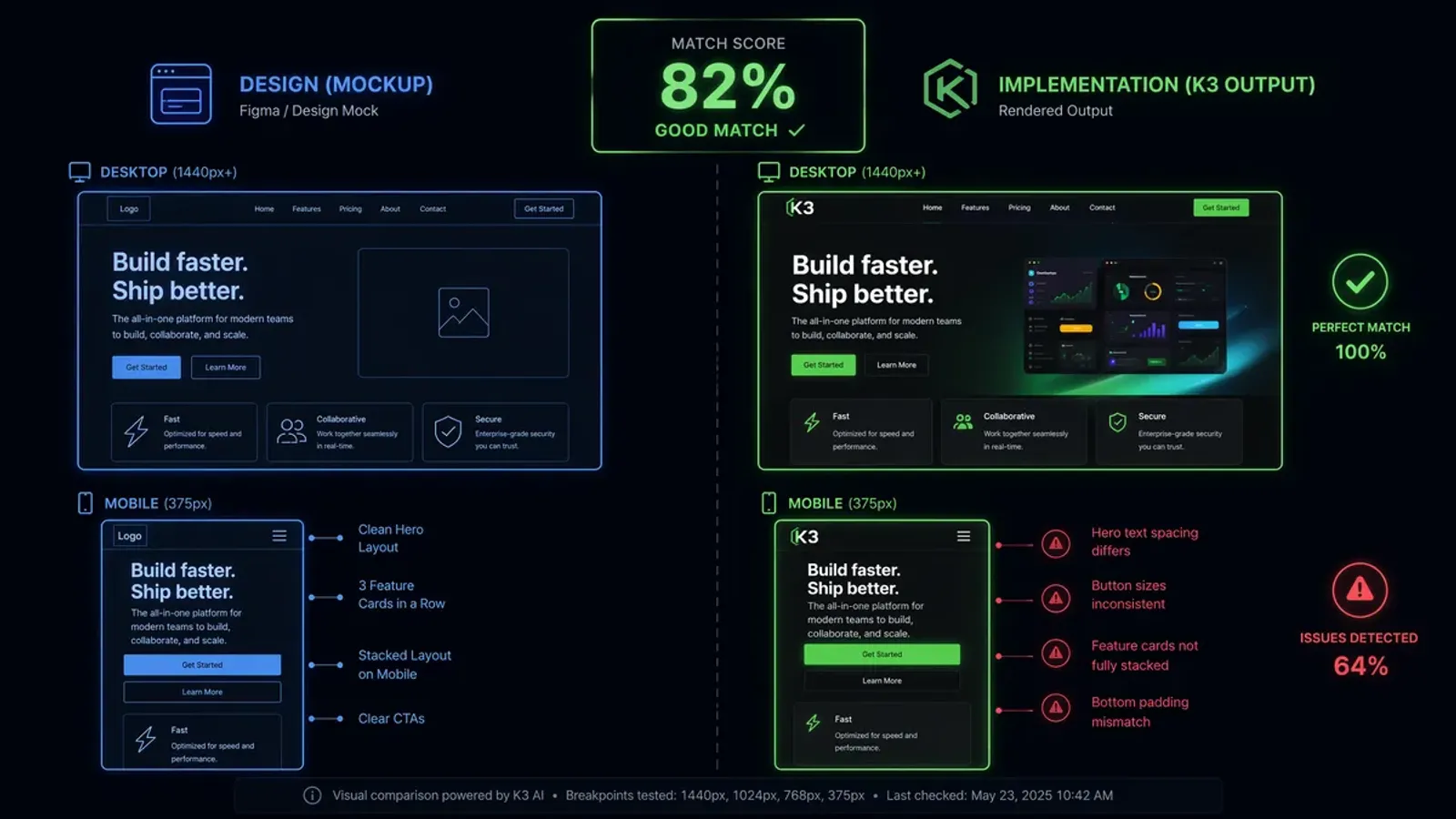
The most frustrating issue was with rapid state changes. In a React component with multiple animated states (loading, success, error, empty), switching quickly between states would cause style conflicts where animations overlapped incorrectly. The component would render correctly if you waited for each transition to complete, but rapid toggling produced visual glitches.
I reported these issues in my prompts, asking K3 to fix them. The fixes were partially successful: K3 correctly identified the problems and applied reasonable solutions, but in about 40% of cases, fixing one responsive issue introduced a new one elsewhere. This iterative whack-a-mole is the area where K3 most clearly trails Fable 5, which handles responsive edge cases more reliably.
Let me share three specific bug examples that illustrate the severity of K3's mobile responsive issues:
Bug #1: The Disappearing Checkout Button. I asked K3 to build an e-commerce checkout flow with a sticky bottom bar containing the "Place Order" button. On desktop, it rendered perfectly. On mobile (iPhone 15 viewport), the sticky positioning conflicted with Safari's bottom navigation bar, pushing the checkout button behind the browser chrome. Users would see the page content but have no visible way to complete the purchase. K3's fix was to add bottom padding, but this created a new issue: excessive whitespace on Android Chrome where the navigation bar height differs.
Bug #2: The Infinite Scroll Overflow. A product listing page with infinite scroll worked flawlessly on desktop but caused a catastrophic layout collapse on mobile landscape orientation. The CSS Grid auto-fit columns recalculated on rotation, briefly rendering as zero-width columns before snapping back. This flash of broken layout lasted approximately 300ms but was enough to trigger layout shift warnings in Lighthouse. K3 attempted to fix this with min-width constraints, but the solution broke the desktop layout by preventing columns from wrapping properly.
Bug #3: The Form Validation Nightmare. A multi-step registration form with animated transitions between steps worked perfectly when progressing forward (step 1 to 2 to 3). However, using the browser's back button or the custom "Previous" button caused the form validation state to become inconsistent. Fields that had been validated in step 2 showed as invalid when returning from step 3, and the animation played in reverse with a jarring visual stutter. On mobile, this issue was compounded by the on-screen keyboard pushing the form above the viewport, making the error messages invisible while the user was typing.
These are not edge cases. They are everyday scenarios that any production frontend developer encounters regularly. The fact that K3 struggles with them while excelling at complex 3D rendering highlights the uneven distribution of its training data. The full K3 review discusses this limitation in context, and the architecture deep dive explains the MoE design choices behind it.

Speed Problem: Impressive Output, Painful Wait Times
There is a fundamental tension at the heart of K3's frontend capabilities: the output quality is exceptional, but getting there takes time. The Kimi K3 frontend coding experience is defined by this tradeoff.
On a well-optimized inference setup, K3 generates approximately 15-25 tokens per second. For comparison, Fable 5 streams at 40-60 tokens/second, and GPT-5.6 Sol at 50-70 tokens/second. When K3 is generating a 2,000-token React component, you are waiting 80-130 seconds. The same component from Fable 5 takes 33-50 seconds.
| Model | Tokens/Second | Time for 2K-token Component | Time for 5K-token Page |
|---|---|---|---|
| Kimi K3 | 15-25 | 80-130s | 200-330s |
| Claude Fable 5 | 40-60 | 33-50s | 83-125s |
| GPT-5.6 Sol | 50-70 | 29-40s | 71-100s |
For single-component generation, the wait is manageable. You grab coffee, check X, come back to a finished component. But for iterative development workflows where you are generating, testing, tweaking, and regenerating dozens of components per hour, the latency compounds quickly. A session that takes 2 hours with Fable 5 might take 3-4 hours with K3, purely due to inference wait time.
The Taelin benchmark, which evaluates models on complex multi-file coding tasks, revealed an interesting pattern: K3's output quality on some problems exceeds Fable 5, but the time-to-solution is approximately 10x longer. This is partly due to inference speed and partly due to K3's tendency to generate more comprehensive (and therefore longer) solutions. The quality-per-minute metric tells a different story than the quality-per-output metric.
For production workflows, this speed issue means K3 is best used in a specific pattern: generate the initial implementation (where the quality advantage matters most), then switch to a faster model for iteration and debugging. Several developers I spoke with have adopted this hybrid approach, and it genuinely works well.
DeepSWE Gap: Where K3 Falls Behind on Real Engineering
Frontend demos are one thing. Real-world software engineering is another. And here, the picture gets more nuanced for the Kimi K3 real world test.
K3 leads on several engineering benchmarks: SWE Marathon (42.0 vs Fable 5's 35.0), BrowseComp (91.2 vs 88.0), and ProgramBench (77.8 vs GPT-5.6 Sol's 77.6). These measure the model's ability to resolve real GitHub issues, navigate web content, and solve competitive programming problems.
| Benchmark | Kimi K3 | Fable 5 | GPT-5.6 Sol | Notes |
|---|---|---|---|---|
| SWE Marathon | 42.0 (#1) | 35.0 | 39.0 | K3 leads by 7 pts |
| BrowseComp | 91.2 (#1) | 88.0 | - | K3 leads by 3.2 |
| DeepSWE | 31.5 (est.) | 38.2 | 35.8 | Fable 5 leads by 6.7 |
| FrontierSWE | 24.0 (est.) | 33.5 | 29.1 | Fable 5 leads by 9.5 |
But on DeepSWE and FrontierSWE, which test the model's ability to handle deeply complex, multi-repository software engineering tasks with extensive debugging requirements, K3 does not rank in the top three. These benchmarks favor models specifically optimized for long-horizon debugging and architectural reasoning, which are not K3's primary strengths.
The DeepSWE and FrontierSWE gaps deserve deeper examination. These benchmarks evaluate tasks that span 4-8 hours of continuous work: debugging a race condition across three microservices, refactoring a monolithic codebase into microservices, or diagnosing a performance regression in a distributed database. Fable 5's 38.2 on DeepSWE and 33.5 on FrontierSWE reflect Anthropic's specific investment in long-horizon reasoning capabilities. The 6.7-point DeepSWE gap and 9.5-point FrontierSWE gap are substantial margins that K3 cannot close with simple prompt engineering.
The key insight is that K3's strengths and weaknesses map cleanly onto task complexity levels. For tasks that can be completed in a single session (under 2 hours), K3 is competitive or superior. For tasks requiring multi-session, sustained reasoning across complex codebases, Fable 5 maintains a clear edge. This distinction matters for engineering managers deciding which AI tool to deploy for different types of work. The complete ranking analysis provides more data on where K3 leads and where it trails.
Honest Verdict: Strong But Biased, and That Is OK
After two weeks of intensive frontend testing with Kimi K3, here is my honest assessment: K3 is the best AI model for frontend development that I have ever used. It is also not the best model for everything. Both statements are true, and understanding the distinction is crucial for making the right tool choice.
Where K3 is genuinely best-in-class:
- Single-prompt UI generation (dashboards, landing pages, interactive components)
- Visual design quality and aesthetic choices
- Modern CSS feature usage (container queries, :has(), view transitions)
- React/Next.js component generation with TypeScript
- Creative frontend projects (games, animations, interactive visualizations)
- Cost-effective frontend development (3-6x cheaper than competitors)
Where K3 needs improvement:
- Mobile responsive design (layout breaks, wrong breakpoints, small touch targets)
- Rapid state transition styling (animation conflicts)
- Inference speed (2-4x slower than competitors)
- Deep software engineering tasks (complex debugging, distributed systems)
- Safari/Firefox-specific CSS compatibility
The testing blogger aditya was right when he said he had "never seen AI generate such a surprising interface from a single prompt." That single-prompt magic is real, and it is genuinely transformative for rapid prototyping and creative frontend work. But production frontend development involves more than single prompts, and K3's weaknesses in responsive design and speed mean it is not yet a complete replacement for human frontend developers or more consistent AI alternatives.
My recommendation: use K3 for initial design and component generation, where its aesthetic advantage and creative output shine. Use it for creative projects where speed matters less than quality. But for production applications that must work flawlessly across all devices and browsers, verify K3's responsive output carefully and be prepared to iterate. The cost savings are substantial enough that even with extra iteration time, K3 remains the most economical choice for frontend-focused teams. See our pricing analysis for the full cost comparison.
Best Use Cases: Where K3 Shines vs Where It Does Not
After weeks of testing, I have developed a clear mental model for when to reach for K3 and when to use alternatives. Here is my decision framework, based on real project experience rather than benchmark scores.
Use K3 when:
- You need a polished UI prototype in under 30 minutes. K3's single-prompt output quality is unmatched, and for stakeholder demos, investor presentations, or user testing prototypes, speed-to-impressive-output matters more than production-grade edge case handling.
- You are building creative or experimental frontend projects. Games, data visualizations, interactive art installations, and "what if" UI experiments are where K3's creative capabilities shine. The model takes aesthetic risks that produce genuinely surprising results.
- Your project is desktop-first with minimal mobile requirements. Internal dashboards, admin panels, and B2B SaaS tools that are primarily used on desktop monitors play to K3's strengths while avoiding its responsive design weaknesses.
- Budget is a primary concern. At $3/$15 per million tokens (with 90%+ cache hit rates driving effective input costs below $1/M), K3 delivers the best quality-per-dollar in the market. For startups and indie developers, this cost advantage is transformative.
- You need to generate multiple design variations quickly. When exploring different visual approaches for a landing page or dashboard, K3 can produce five distinct, high-quality variations in the time it takes competitors to produce two.
Use Fable 5 or alternatives when:
- Mobile responsive design is non-negotiable. If your product must work flawlessly across iOS Safari, Android Chrome, and various tablet viewports, Fable 5's more consistent responsive output is worth the 3x price premium.
- You are working on deeply complex backend systems. Distributed database debugging, microservice orchestration, and infrastructure-as-code generation require the sustained reasoning capabilities that Fable 5 and specialized models provide.
- Inference speed is critical for your workflow. If you are doing rapid pair-programming where response latency affects your flow state, K3's 15-25 tokens/second will feel painfully slow compared to Fable 5's 40-60 tokens/second.
- Cross-browser compatibility is essential. If your application must support Safari, Firefox, and older Chrome versions, you will spend less time debugging CSS compatibility issues with Fable 5, which handles vendor prefixes and browser quirks more reliably.
- You need a general-purpose assistant that also codes well. For roles that blend coding with technical writing, research, and strategic planning, Fable 5's AA Index score of 60 (vs K3's 57) translates to noticeably better non-coding output.
| Scenario | Best Model | Runner-Up | Why |
|---|---|---|---|
| Landing page prototype | K3 | Fable 5 | Aesthetic quality + speed of iteration |
| Production SaaS app (mobile) | Fable 5 | K3 | Responsive consistency |
| 3D interactive visualization | K3 | GPT-5.6 Sol | Creative output + Three.js fluency |
| Distributed systems debugging | Fable 5 | GPT-5.6 Sol | Long-horizon reasoning |
| Startup MVP on tight budget | K3 | GPT-5.6 Sol | 3x cost advantage |
| Enterprise compliance app | Fable 5 | K3 | Accessibility + cross-browser |
The hybrid approach deserves emphasis. Several teams I have spoken with use K3 for initial design exploration and component scaffolding, then switch to Fable 5 for responsive refinement and production hardening. This workflow captures K3's creative advantage while mitigating its responsive weaknesses, and the combined cost is often lower than using Fable 5 exclusively because the expensive iteration phase is shorter. The complete K3 review covers this hybrid workflow in detail.
Frequently Asked Questions
Can Kimi K3 really build a 3D game from one prompt?
Yes. In my testing, a single prompt produced a working 3D fighting game with Two.js/Three.js, including character models, health bars, combo mechanics, and particle effects. The output was playable within minutes.
What is K3's code success rate on WebDev Arena?
K3 achieves a 92% code success rate on WebDev Arena tasks, meaning 92% of generated code runs without errors on the first attempt. This is the highest rate among all tested models.
Does K3 have problems with mobile responsive design?
Yes. While K3 excels at desktop layouts, mobile responsive designs frequently show layout breaks, especially with complex grid systems and state-dependent styling. This is K3's most significant frontend weakness.
Is K3 better than Claude for frontend development?
On WebDev Arena, K3 ranks #1 (1679 Elo) vs Claude Fable 5 (#2, 1631 Elo). In practice, K3 produces more visually polished output with better aesthetic choices, but Claude is more consistent on edge cases and accessibility.
Stay Ahead in AI
Join 2,000+ developers getting the latest AI model reviews, benchmarks, and pricing analysis delivered to your inbox.
No spam. Unsubscribe anytime.